Sunday, 17 August 2014

MK Legacy Scorpion Part 3-Boot covers


Once again I began by scaling up an image of the boot covers to fit me in Illustrator. The best part of patterning in Illustrator is that you always have a digital backup of all your patterns in case something happens to any of them, which since I'm always misplacing things is a good idea for me haha.


A tricky part of pattern cutting on leather/leatherette is that you can't just pin the patterns to the piece because it will leave marks. I've seen others use clothes pins and also spray mount to keep their patterns from budging. Since this was a relatively small piece I simply rolled some masking tape over itself so that it was double sided and that did the trick. This would take way too long on a larger piece on which I'd recommend the aforementioned spray mount.


I marked the back of the pieces for placement of each of the straps, there is no hem on any of these pieces so I couldn't just notch where these pieces lie in the seam allowance. 
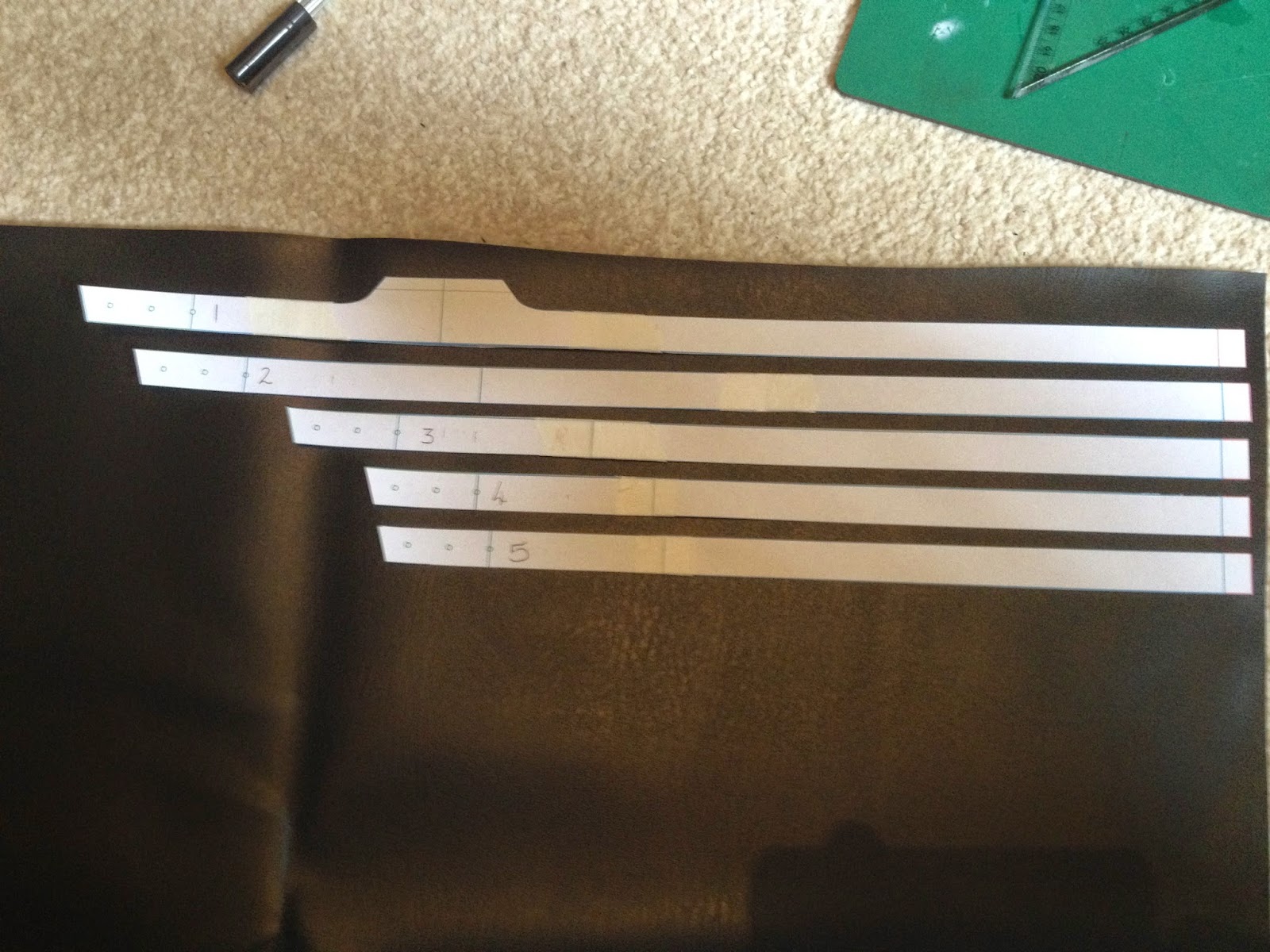

Each of the straps were measured whilst wearing the Tabi boots for the costume, to allow for the extra size from the thickness of the material. The top strap is riveted onto the boot cover but the rest were top-stitched using the lines on the back to line everything up.


The straps are longer on one side as the boot covers buckle on the inside of the leg rather than centred at the back.


 The covers in the series are a grubby weathered gold colour, to create this effect I lightly misted a single coat of gold spray paint onto them, this left feathered patches of black showing through and also with there only being a thin coating the colour was quite dull and muted so as it didn't appear shiny and brand new.


Using 1500 grit wet and dry sandpaper I lightly wet-sanded the edges of the pieces and buffed in small random areas to make the gold appear even more worn out. The buckles were added after this stage. To help stop the covers form shifting whilst walking I also added Velcro patches to them and the boots.


Next up is the Tabard!

Friday, 15 August 2014

MK Legacy Scorpion Part 2-Gauntlets


To start the gauntlets I made the base piece first, the main piece has an unfinished edge along the top and sides with top-stitched detail but the bottom of the gauntlet is rounded off. 


To achieve this I added a seam allowance to the bottom of my gauntlet pattern. This base piece was cut out of thin leatherette so that it would be easy to wrap around a form. 


For the form I simply used an old plastic folder I had laying around, it was thin enough to flex to the shape I needed and strong enough not to warp. The top-stitching around the gauntlet trapped the form onto the leatherette holding it in place.


The seam allowance was cut in increments of roughly 2cm to allow it to take the curve properly each tab was glued down and overlapped by the next.


This gave the piece a clean finished edge and added some thickness as well. Once this was repeated on the other gauntlet the detail pieces were made next.


Each piece was cut out twice in 2mm thick leather, using templates I made in Illustrator I marked and punched all the holes for the rivets, a similar guide was made to punch the corresponding holes into the gauntlets so that each piece matched up properly.

To better match the darker colour of the pleather each piece of leather was buffed with a coat of black shoe polish. For comparison the triangular piece is untreated and the strip has been coated.


The strips were riveted on first, I found anodised rivets that looked much nicer than black painted ones do. The straps were next sewn onto the main gauntlet piece. The triangular pieces act as cover guards that conceal the join so they were riveted on last.


Slots were cut into each strap to fit the buckles through. 


The pieces were checked for fit in case the straps needed any adjusting, but thankfully my measurements were right!


I managed to ID the actual gloves used, I believe they are called stealth bomber gloves and are made by a company called Fox. The next step is to grub these gauntlets up and give them a believable worn feel.

The dirt was applied all over the gauntlets with a slightly damp sponge, once dry they were rubbed down with a damp rag which left the texture in all the recessed areas to give them a grimy well used feel.


Sunday, 10 August 2014

Mortal Kombat Legacy Scorpion Part 1-Waist wrap


This is a costume being made for an event in London in October, I chose the undead version to break away from the nice clean Props I usually make and get more practice with weathering. This project will also be heavily costume based rather than prop based like I normally do, again, building up skills so this project should be fun! 

I'll be splitting this project up into parts so I'll make a separate post for each costume part so as this post doesn't become ridiculously long.

First up I made the waist wrap, after screen-capping some shots from Scorpions episodes of the series I figured out the scale I needed to make the costume parts fit me. The waist wrap is extremely simple. The actual piece has a wrapped appearance but has a corset type fastening at the back, so rather than being one long continuous pieces it is instead separate layers that are attached together at the back.


Each piece was done in pleather, since it needed to be quite thin to allow a good range of movement and also I already had it lying around haha. The pieces have a ragged edge that has been cut into it at the bottom rather than worn in, so none of these pieces needed any sort of hem so they only took 5 mins to cut out. The pieces were patterned to lay on top of each other to create the layered look and tapered at the back to the same length.


To help make the different layers stand out the actual wrap used has a golden highlight along the bottom edge of each layer, I used a bronze enamel which was drybrushed along the bottom edges of each layer before being stitched together. I tested the colour on a scrap piece of material first to check it didn't stand out too much, this is only supposed to be a subtle highlight and not an obvious shiny gold band at the bottom.


At this point each of the pieces were layered together and the edges were trapped in by the two back panels that the lacing would go through, securing each layer in place. The rivets were hammered in next and to help go along with the worn in look I used an old fraying black shoelace to lace the back up. This was lace so that the knot would face the inside of the wrap and would be out of sight.


Next up, the Gauntlets!


Thursday, 15 May 2014

3D printed plague mask


This was a Uni project and was designed as a modern interpretation of a plague mask. We had to make objects in only white or cream and had to make the piece more interesting using design and texture. I designed my mask in a 3D program called blender, to create a more interesting look for the mask I decide to make the face faceted to give me lots of different shades of the same colour. I achieved this by making my model low poly using the decimate tool in blender.


I imported my model into pepakura and then built a card version to make sure the model was scaled to fit my face, once I was happy with the scale it was sent off to the 3D printers.


The surface of a 3D print is quite rough and porous which needed to be fixed before painting. To smooth and seal the mask I used spot filling putty and filler primer. These were used to build up the surface to make it smooth as sanding away the plastic would get rid of the sharp facets that were part of the design. The mask was wet sanded with 600 grit up to 1500 grit.


To add more surface detail I opted to give the piece a crazed porcelain texture. I achieved this by using a 2 part spray paint, first a gold base layer is applied quite thickly in one coat and left to become tacky, then an off white top layer is lightly sprayed over the top. The two paints have a different chemical base and interact with each other creating a cracked appearance. The piece was then given two coats of satin clear coat to protect the finish and was done!

Wednesday, 16 April 2014

LOTR Witchking Helmet


I was recently commissioned to create a replica of the Witch King of Angmar's helmet from Lord of the Rings, as usual my first step was to build up a reference library, taking screenshots form the films was my main source for this project. Next I drew up some blueprints:


I first made a cardboard mock-up of the pieces:


Once I was happy with the Witch King of cardboard the shapes they were transferred onto Sintra, I decided to use Sintra for this project since the helmet is so large it needs to be as light as possible for the wearer.

The head band that each piece sat on in the cardboard mock up was given a coating of resin both inside and out to strengthen it, the headband would work as a head form for me to wrap each Sintra panel around and when cooled the head form could just be popped back out.


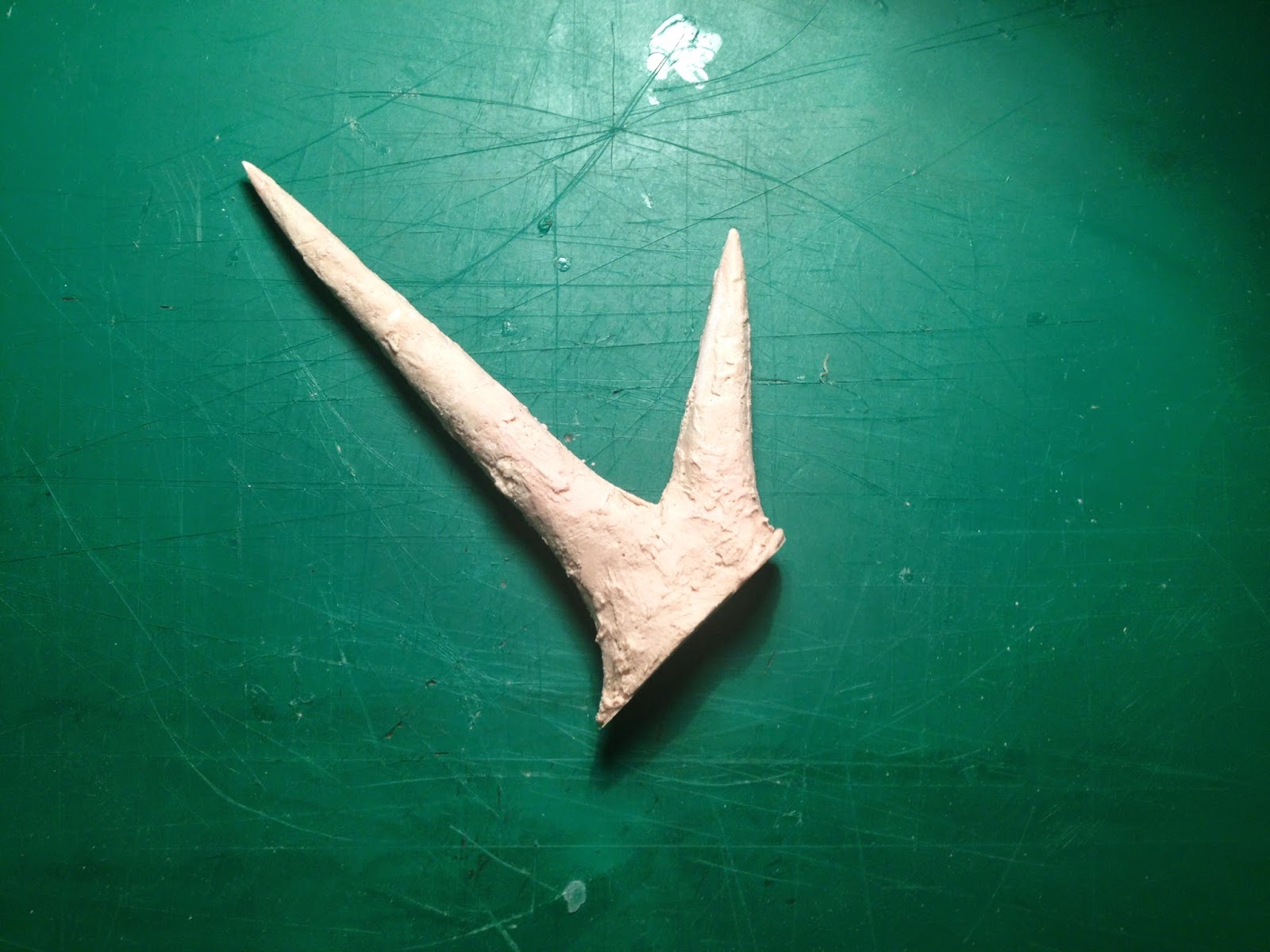
Whilst I waited for the large sheets of Sintra I needed to arrive I decided to get started on the antlers that adorn the band of the crown. Using my blueprints I drew out an antler and then created two slots in each prong, small discs were made to fit in each slot to as a guide to help me round out the antlers with bondo. 


A few flaws were left in to help simulate the rough forged look of the helmet:


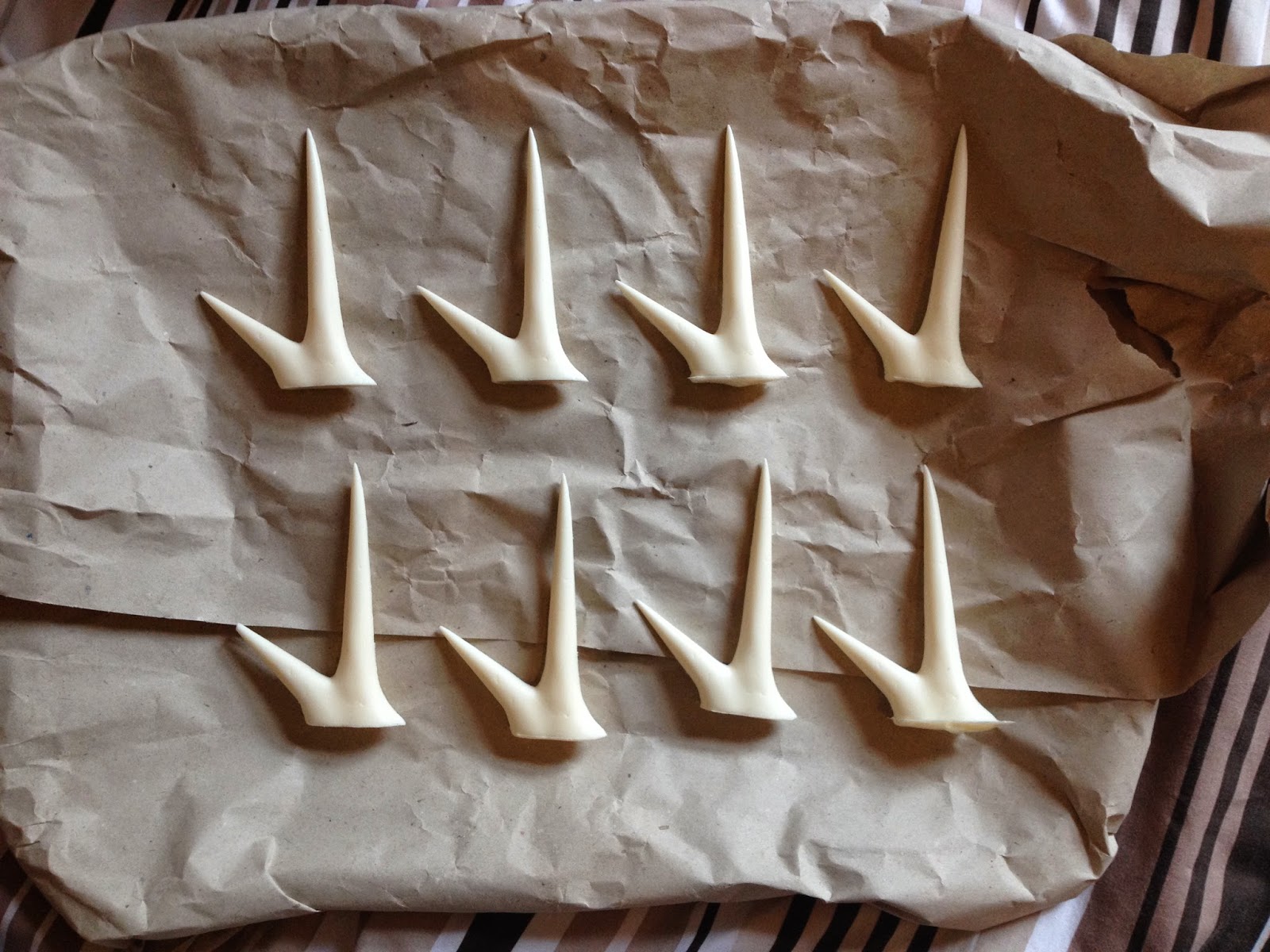
To save time I made a quick two part mould for the antler so that I could cast up 8 copies, the mould was made using rebound 25.


The mould came out extremely well and a test cast was poured in smoothcast.


I then cast up another 7 copies so that I had my full set:


My card templates were transferred to Sintra and using a heat gun were wrapped around the head form I made earlier.


To create the raised cheeks guides were made from scrap plastic that tapered from 1cm down to a small point at each scallop in the cheek wing shapes. These guides were tacked onto the surface using superglue and then coated with release agent. Filler was then applied to one side of each guide. Once the filler had cured the guides were peeled away and filer was added to the other side of the raised area, using the first side as a guide.


The crown band was chamfered at this point using 6 guides to bring the bottom of the band out 5mm, a small tool was made out of styrene to bevel the underneath of the band evenly. The battle damage/rust holes were drawn out and then cut out using a model knife. The areas surrounding the holes was sanded to make the cuts look less fresh and clean.


The last main feature to add to the helmet was the brow accents, these were made using the same 2mm sintra I used for the rest of the build. The edges were rounded and the pieces were heated and pressed to the helmet to achieve the same curve. They were then glued down and filler was used to blend them into the surface.


The four bolts on the side of the helmet were attached and then I began texturing the surface, this was done by stippling a thin layer of filler on the surface and randomly smearing filler to achieve an uneven surface without losing any detail. This was sanded down slightly to give a smoother feel, the antlers were attached and blended into the helmet at this point as well.


The client wanted to paint the helmet themselves so the helmet was coated in layers of red primer and was finished.


And a shot of the helmet painted by the client: